“A LANGUAGE THAT DOESN’T AFFECT THE WAY YOU THINK ABOUT PROGRAMMING IS NOT WORTH KNOWING.” ― ALAN J. PERLIS
What is programming language :-
“A programming language is a formal language, which comprises a set of instructions that produce various kinds of output. Programming languages are used in computer programming to implement algorithms.”
For beginners just stepping in the world of programming, the biggest dilemma is to decide where to begin or which language to opt for first in order to make your career bright as a Programmer.
Which language is the best? –is an example of the wrong statement of the question.
Which language suits the most for … -worth a theoretical question.
Which languages are used for … –closer to the point.
One of the easiest ways to pick the best programming languages to learn in 2019 is by listening to what the market says, where the tech trend is going. So, let’s get straight into this. Here is how the list goes:
It is impossible to be a software developer these days without using JavaScript in some way. It is on of the best computer language to learn. According to the Stack Overflow’s 2018 Developer Survey, 71.5% of professional developers ranked JavaScript as the most popular programming language for the sixth year in a row.
People often ask which programming language is best for web development? Well, if we go by the stats the answer is JavaScript.
JavaScript is everywhere. It’s vital to front-end development and increasingly relevant to back-end development.
Pros:
Speed: Being client-side, JavaScript is very fast because any code functions can be run immediately instead of having to contact the server and wait for an answer.
Simplicity: JavaScript is relatively simple to learn and implement.
Versatility: JavaScript plays nicely with other languages and can be used in a huge variety of applications. Unlike PHP or SSI scripts, JavaScript can be inserted into any web page regardless of the file extension. JavaScript can also be used inside scripts written in other languages such as Perl and PHP.
Server Load: Being client-side reduces the demand on the website server.
Cons:
Security: Since the code executes on the users’ computer, in some cases it can be exploited for malicious purposes. This is one reason some people choose to disable JavaScript.
Reliance on End User: JavaScript is sometimes interpreted differently by different browsers. Whereas server-side scripts will always produce the same output, client-side scripts can be a little unpredictable. Don’t be overly concerned by this though – as long as you test your script in all the major browsers you should be safe.
2. Python:
Pythonis one of the general purpose, user-friendly and on of the best programming languages to know. Python has seen a significant rise in the index and deemed as one of the most popular programming languages.
According to Stack Overflow, there is one section which says “To be adopted or migrated to be—or to migrate too soon”, and for python, it’s 12% which is the highest for any programming language. People who have migrated to python are close to around 42%, which is why I kept it at number #2.
Python is being used by many for various purposes now some of which are Software Engineer, Software Developer, Web Developer, Quality Assurance Engineer, Data Science.
Pros:
Python is easy to learn for even a novice developer. Its code is easy to read and you can do a lot of things just by looking at it. Also, you can execute a lot of complex functionalities with ease, thanks to the standard library.
Supports multiple systems and platforms.
Object-Oriented Programming-driven.
With the introduction of Raspberry Pi, a card-sized microcomputer, Python has expanded its reach to unprecedented heights. Developers can now build cameras, radios and games with ease. So, learning Python could open new avenues for you to create some out-of-the-box gadgets.
Python has a plethora of frameworks that make web programming very flexible.
Gives rise to quick development by using less code. Even a small team can handle Python effectively.
Allows scaling even the most complex applications with ease.
A large number of resources are available for Python.
Cons:
Python is slow
Python is not a very good language for mobile development.
Python is not a good choice for memory intensive tasks.
It’s near impossible to build a high-graphic 3D game using Python.
Has limitations with database access.
Python is not good for multi-processor/multi-core work.
According to Stack Overflow’s 2018 survey, 45.5% of professional developers favor. There’s a great saying ”write once run everywhere” capture one of the keys that make Java so valuable, the reason for Java’s enduring appeal being the Java Virtual Machine (JVM) which makes it cross-platform compatible. It is still one of the finest coding languages to learn.
Javais also the basis for the Android operating system and the most common language for developing Android apps. The language is favored by enterprises too, with roughly 90 percent of Fortune 500 companies using Java for building applications and other back end systems.
Pros:
Object- Oriented language.
Java offers APIs for different activities like Database connection, networking, XML parsing, utilities, etc.
Powerful open source Rapid Development tools.
A large number of open source libraries are available.
Cons:
Memory management in Java is quite expensive.
The absence of templates can limit you to create high-quality data structures.
Next on the list is Swift. Swift was developed by Apple in July 2010 so that iOS developers do not need to work with Objective-C. Developers use Swift to build powerful, high-performance, native iOS, macOS and Linux apps. It is one of the most used programming languages for iPhone application development because of its immersive ability to employ compilers and syntaxes based on different C-based languages.
Pros:
Easy to Read and Maintain
Scalable
Concise
Safety and Improved Performance
Cross-device Support
Automatic Memory Management
Cons:
Problems with the Compatibility
Speed Issues
5. Kotlin:
Kotlinfirst appeared as a new language for Java Virtual Machine from a team of Saint-Peterburg programmers called Jet Brains. From the day Kotlin was introduced as an official Android app development language, the language has enjoyed a skyrocketing rise in its popularity.
Pros:
Kotlin requires less code to write
Fewer crashes occur on Kotlin.
Kotlin needs lesser time when it comes to customization and maintenance.
Cons:
Being very close to Java, Kotlin still differs in many aspects. Thus, a certain learning curve is involved for a developer who wants to switch languages.
Slower compilation speed
Small developer community.
Hard to find experienced professionals in this domain.
6. C++:
C++is a programming language that was developed by Bjarne Stroustrup in 1983. C++ is a more modern, object-oriented version of C. C++ still remains in demand owing to its flexibility, performance and multiple contexts where you can use it. A career in C++ would usually involve the development of desktop applications which are focused on performance-intensive tasks.
Pros:
It is a popular language, and thus, there are many compilers and libraries
Other programming languages like C, C#, and Java have very similar syntax to C++, make it easy to learn for everyone who knows C++.
No garbage collector is running in the background.
Cons:
The syntax is complex, and the standard library is small, making this language very difficult to learn for the beginner programmer.
C++ program can’t support garbage collection or Dynamic Memory Allocation
The object orientation system in C++ is unnecessarily basic compared to other languages.
Gois developed by Google and is a minimal language like Python. Go language is also known as golang. Go provides much better features to write concurrent programs compared to others. In this era where multi-core apps are being written, Go addresses the need quite well and also there’s built-in support of concurrency in it.
Pros:
Go Is Fast
Static Typing
Interface Types
Standard Library
Testing Support
Static Analysis Tools
Garbage Collection
Easier Concurrency Model
Cons:
No Generics
Interfaces Are Implicit
Poor Library Support
Difficult Community
Fractured Dependency Management
8. Rust:
Rust language was originally developed by Mozilla Foundation and it operates as a low-level language, suited for performance critical code. It is a new system-level programming language that is changing the way we think about programming. Rust was created with the purpose of avoiding the dangling pointers, buffer overflows or any other kind of memory errors. Rust is like C and C++.
Pros:
Awesome at managing resources like DB connections and memory.
A decent type system that will allow you to focus on code, rather than hunting bugs.
Very well thought in terms of design and open source libs are really well thought too.
Cons:
Hard to learn.
Doesn’t have a lot of open source libs.
It does have all the necessary libs for making your development to be productive, but each area is covered by 1 lib, so you don’t really have a lot of choices.
Awesome at managing resources like DB connections and memory.
A decent type system that will allow you to focus on code, rather than hunting bugs.
Very well thought in terms of design and open source libs are really well thought too.
Conclusion:
Here is a quick summary of the different possibilities that we’ve discussed:
Front-end web development: JavaScript
Back-end web development: JavaScript, Java, Python,
Mobile development: Swift, Java
Game development: C++
Desktop applications: Java, C++, Python
Systems programming: Rust
Hopefully, this list is helpful to the readers looking for a way to get into the programming world. Do Drop a comment if you find this article helpful or even if you have any thoughts to share
Pros:
Object- Oriented language.
Java offers APIs for different activities like Database connection, networking, XML parsing, utilities, etc.
Powerful open source Rapid Development tools.
A large number of open source libraries are available.
Cons:
Memory management in Java is quite expensive.
The absence of templates can limit you to create high-quality data structures.
Next on the list is Swift. Swift was developed by Apple in July 2010 so that iOS developers do not need to work with Objective-C. Developers use Swift to build powerful, high-performance, native iOS, macOS and Linux apps. It is one of the most used programming languages for iPhone application development because of its immersive ability to employ compilers and syntaxes based on different C-based languages.
Pros:
Easy to Read and Maintain
Scalable
Concise
Safety and Improved Performance
Cross-device Support
Automatic Memory Management
Cons:
Problems with the Compatibility
Speed Issues
5. Kotlin:
Kotlinfirst appeared as a new language for Java Virtual Machine from a team of Saint-Peterburg programmers called Jet Brains. From the day Kotlin was introduced as an official Android app development language, the language has enjoyed a skyrocketing rise in its popularity.
Pros:
Kotlin requires less code to write
Fewer crashes occur on Kotlin.
Kotlin needs lesser time when it comes to customization and maintenance.
Cons:
Being very close to Java, Kotlin still differs in many aspects. Thus, a certain learning curve is involved for a developer who wants to switch languages.
Slower compilation speed
Small developer community.
Hard to find experienced professionals in this domain.
6. C++:
C++is a programming language that was developed by Bjarne Stroustrup in 1983. C++ is a more modern, object-oriented version of C. C++ still remains in demand owing to its flexibility, performance and multiple contexts where you can use it. A career in C++ would usually involve the development of desktop applications which are focused on performance-intensive tasks.
Pros:
It is a popular language, and thus, there are many compilers and libraries
Other programming languages like C, C#, and Java have very similar syntax to C++, make it easy to learn for everyone who knows C++.
No garbage collector is running in the background.
Cons:
The syntax is complex, and the standard library is small, making this language very difficult to learn for the beginner programmer.
C++ program can’t support garbage collection or Dynamic Memory Allocation
The object orientation system in C++ is unnecessarily basic compared to other languages.
Gois developed by Google and is a minimal language like Python. Go language is also known as golang. Go provides much better features to write concurrent programs compared to others. In this era where multi-core apps are being written, Go addresses the need quite well and also there’s built-in support of concurrency in it.
Pros:
Go Is Fast
Static Typing
Interface Types
Standard Library
Testing Support
Static Analysis Tools
Garbage Collection
Easier Concurrency Model
Cons:
No Generics
Interfaces Are Implicit
Poor Library Support
Difficult Community
Fractured Dependency Management
8. Rust:
Rust language was originally developed by Mozilla Foundation and it operates as a low-level language, suited for performance critical code. It is a new system-level programming language that is changing the way we think about programming. Rust was created with the purpose of avoiding the dangling pointers, buffer overflows or any other kind of memory errors. Rust is like C and C++.
Pros:
Awesome at managing resources like DB connections and memory.
A decent type system that will allow you to focus on code, rather than hunting bugs.
Very well thought in terms of design and open source libs are really well thought too.
Cons:
Hard to learn.
Doesn’t have a lot of open source libs.
It does have all the necessary libs for making your development to be productive, but each area is covered by 1 lib, so you don’t really have a lot of choices.
Awesome at managing resources like DB connections and memory.
A decent type system that will allow you to focus on code, rather than hunting bugs.
Very well thought in terms of design and open source libs are really well thought too.
Conclusion:
Here is a quick summary of the different possibilities that we’ve discussed:
Front-end web development: JavaScript
Back-end web development: JavaScript, Java, Python,
Mobile development: Swift, Java
Game development: C++
Desktop applications: Java, C++, Python
Systems programming: Rust
H
I would be glad to know them and share it in my next article if I did miss any programming language which you think should be included in the list.
This is the first post on my new blog. I’m just getting this new blog going, so stay tuned for more. Subscribe below to get notified when I post new updates.
The PHP language evolved without a written formal specification or standard until 2014, with the original implementation acting as the de facto standard which other implementations aimed to follow. Since 2014, work has gone on to create a formal PHP specification.[12]
As of July 2019, the majority of sites on the web using PHP are still on version 5.6 or older;[13] versions prior to 7.1 are no longer officially support by The PHP Development Team[14], but security support is provided for longer by third parties, such as Debian.[15]
PHP/FI could be used to build simple, dynamic web applications. To accelerate bug reporting and improve the code, Lerdorf initially announced the release of PHP/FI as “Personal Home Page Tools (PHP Tools) version 1.0” on the Usenet discussion group comp.infosystems.www.authoring.cgi on June 8, 1995.[19][20] This release already had the basic functionality that PHP has today. This included Perl-like variables, form handling, and the ability to embed HTML. The syntax resembled that of Perl, but was simpler, more limited and less consistent.[7]
Early PHP was not intended to be a new programming language, and grew organically, with Lerdorf noting in retrospect: “I don’t know how to stop it, there was never any intent to write a programming language […] I have absolutely no idea how to write a programming language, I just kept adding the next logical step on the way.”[21] A development team began to form and, after months of work and beta testing, officially released PHP/FI 2 in November 1997.
The fact that PHP was not originally designed, but instead was developed organically has led to inconsistent naming of functions and inconsistent ordering of their parameters.[22] In some cases, the function names were chosen to match the lower-level libraries which PHP was “wrapping”,[23] while in some very early versions of PHP the length of the function names was used internally as a hash function, so names were chosen to improve the distribution of hash values.[24]
Zeev Suraski and Andi Gutmans rewrote the parser in 1997 and formed the base of PHP 3, changing the language’s name to the recursive acronymPHP: Hypertext Preprocessor.[7][25] Afterwards, public testing of PHP 3 began, and the official launch came in June 1998. Suraski and Gutmans then started a new rewrite of PHP’s core, producing the Zend Engine in 1999.[26] They also founded Zend Technologies in Ramat Gan, Israel.[7]
On May 22, 2000, PHP 4, powered by the Zend Engine 1.0, was released.[7] As of August 2008 this branch reached version 4.4.9. PHP 4 is no longer under development nor will any security updates be released.[27][28]
On July 14, 2004, PHP 5 was released, powered by the new Zend Engine II.[7] PHP 5 included new features such as improved support for object-oriented programming, the PHP Data Objects (PDO) extension (which defines a lightweight and consistent interface for accessing databases), and numerous performance enhancements.[29] In 2008, PHP 5 became the only stable version under development. Late static binding had been missing from PHP and was added in version 5.3.[30][31]
Many high-profile open-source projects ceased to support PHP 4 in new code as of February 5, 2008, because of the GoPHP5 initiative,[32] provided by a consortium of PHP developers promoting the transition from PHP 4 to PHP 5.[33][34]
Over time, PHP interpreters became available on most existing 32-bit and 64-bit operating systems, either by building them from the PHP source code, or by using pre-built binaries.[35] For PHP versions 5.3 and 5.4, the only available Microsoft Windows binary distributions were 32-bit IA-32 builds,[36][37] requiring Windows 32-bit compatibility mode while using Internet Information Services (IIS) on a 64-bit Windows platform. PHP version 5.5 made the 64-bit x86-64 builds available for Microsoft Windows.[38]
Official security support for PHP 5.6 ended on 31 December 2018,[39] but Debian 8.0 Jessie will extend support until June 2020.[15]
PHP received mixed reviews due to lacking native Unicode support at the core language level.[40][41] In 2005, a project headed by Andrei Zmievski was initiated to bring native Unicode support throughout PHP, by embedding the International Components for Unicode (ICU) library, and representing text strings as UTF-16 internally.[42] Since this would cause major changes both to the internals of the language and to user code, it was planned to release this as version 6.0 of the language, along with other major features then in development.[43]
However, a shortage of developers who understood the necessary changes, and performance problems arising from conversion to and from UTF-16, which is rarely used in a web context, led to delays in the project.[44] As a result, a PHP 5.3 release was created in 2009, with many non-Unicode features back-ported from PHP 6, notably namespaces. In March 2010, the project in its current form was officially abandoned, and a PHP 5.4 release was prepared containing most remaining non-Unicode features from PHP 6, such as traits and closure re-binding.[45] Initial hopes were that a new plan would be formed for Unicode integration, but as of 2014 none had been adopted.
During 2014 and 2015, a new major PHP version was developed, which was numbered PHP 7. The numbering of this version involved some debate.[46] While the PHP 6 Unicode experiment had never been released, several articles and book titles referenced the PHP 6 name, which might have caused confusion if a new release were to reuse the name.[47]After a vote, the name PHP 7 was chosen.[48]
The foundation of PHP 7 is a PHP branch that was originally dubbed PHP next generation (phpng). It was authored by Dmitry Stogov, Xinchen Hui and Nikita Popov,[49] and aimed to optimize PHP performance by refactoring the Zend Engine while retaining near-complete language compatibility.[50] As of 14 July 2014, WordPress-based benchmarks, which served as the main benchmark suite for the phpng project, showed an almost 100% increase in performance. Changes from phpng are also expected to make it easier to improve performance in the future, as more compact data structures and other changes are seen as better suited for a successful migration to a just-in-time (JIT) compiler.[51] Because of the significant changes, the reworked Zend Engine is called Zend Engine 3, succeeding Zend Engine 2 used in PHP 5.[52]
Because of major internal changes in phpng it must receive a new major version number of PHP, rather than a minor PHP 5 release, according to PHP’s release process.[53] Major versions of PHP are allowed to break backward-compatibility of code and therefore PHP 7 presented an opportunity for other improvements beyond phpng that require backward-compatibility breaks. In particular, it involved the following changes:
Many fatal- or recoverable-level legacy PHP error mechanisms were replaced with modern object-oriented exceptions[54]
The syntax for variable dereferencing was reworked to be internally more consistent and complete, allowing the use of the operators ->, [], (),{}, and ::, with arbitrary meaningful left-side expressions[55]
Support for legacy PHP 4-style constructor methods was deprecated[56]
The behavior of the list() operator was changed to remove support for strings[60]
Support was removed for legacy ASP-style delimiters <% and %> and ... [61]
An oversight allowing a switch statement to have multiple default clauses was fixed[62]
Support for hexadecimal number support in some implicit conversions from strings to number types was removed[63]
The left-shift and right-shift operators were changed to behave more consistently across platforms[64]
Conversions between integers and floating point numbers were tightened and implemented more consistently across platforms[64][65]
PHP 7 also included new language features. Most notably, it introduces return type declarations for functions[66] which complement the existing parameter type declarations, and support for the scalar types (integer, float, string, and boolean) in parameter and return type declarations.[67]
Officially called “Personal Home Page Tools (PHP Tools)”. This is the first use of the name “PHP”.[7]
2.0
1 November 1997
Officially called “PHP/FI 2.0”. This is the first release that could actually be characterised as PHP, being a standalone language with many features that have endured to the present day.
Disabled register_globals by default. Data received over the network is not inserted directly into the globalnamespace anymore, closing possible security holes in applications.[68]
Performance improvements with introduction of compiler variables in re-engineered PHP Engine.[71] Added PHP Data Objects (PDO) as a consistent interface for accessing databases.[72]
Namespace support; late static bindings, jump label (limited goto), closures, PHP archives (phar), garbage collection for circular references, improved Windows support, sqlite3, mysqlnd as a replacement for libmysql as underlying library for the extensions that work with MySQL, fileinfo as a replacement for mime_magic for better MIME support, the Internationalization extension, and deprecation of ereg extension.
Trait support, short array syntax support. Removed items: register_globals, safe_mode, allow_call_time_pass_reference, session_register(), session_unregister() and session_is_registered(). Built-in web server.[73] Several improvements to existing features, performance and reduced memory requirements.
Constant scalar expressions, variadic functions, argument unpacking, new exponentiation operator, extensions of the use statement for functions and constants, new phpdbg debugger as a SAPI module, and other smaller improvements.[76]
6.x
Not released
N/A
Abandoned version of PHP that planned to include native Unicode support.[77][78]
Zend Engine 3 (performance improvements[51] and 64-bit integer support on Windows[80]), uniform variable syntax,[55]AST-based compilation process,[81] added Closure::call(),[82] bitwise shift consistency across platforms,[83]??(null coalesce) operator,[84]Unicode code point escape syntax,[85] return type declarations,[66] scalar type (integer, float, string and boolean) declarations,[67]<=> “spaceship” three-way comparison operator,[86]generator delegation,[87]anonymous classes,[88] simpler and more consistently available CSPRNG API,[89] replacement of many remaining internal PHP “errors” with the more modern exceptions,[54] and shorthand syntax for importing multiple items from a namespace.[90]
Flexible Heredoc and Nowdoc syntax[98], support for reference assignment and array deconstruction with list()[99], PCRE2 support[100], hrtime() function[101]
Legend:Old versionOlder version, still supportedLatest versionLatest preview versionFuture release
Beginning on June 28, 2011, the PHP Development Team implemented a timeline for the release of new versions of PHP.[53] Under this system, at least one release should occur every month. Once per year, a minor release should occur which may include new features. Every minor release should at least be supported for two years with security and bug fixes, followed by at least one year of only security fixes, for a total of a three-year release process for every minor release. No new features, unless small and self-contained, are to be introduced into a minor release during the three-year release process.
The mascot of the PHP project is the elePHPant, a blue elephant with the PHP logo on its side, designed by Vincent Pontier[119] in 1998.[120]“The (PHP) letters were forming the shape of an elephant if viewed in a sideways angle.”[121] The elePHPant is sometimes differently colored when in plush toy form.
Many variations of this mascot have been made over the years. Only the elePHPants based on the original design by Vincent Pontier are considered official by the community[122]. These are highly collectible and some of them are extremely rare. Different variations are listed on A Field Guide to Elephpants.
However, as no requirement exists for PHP code to be embedded in HTML, the simplest version of Hello, World! may be written like this, with the closing tag omitted as preferred in files containing pure PHP code[123]
<?='Hello world';
As well, there is no requirement that a PHP file contain PHP code at all – the interpreter will output data outside of PHP tags unchanged so a simple text file containing “Hello world” will give the same output.
The PHP interpreter only executes PHP code within its delimiters. Anything outside its delimiters is not processed by PHP, although non-PHP text is still subject to control structuresdescribed in PHP code. The most common delimiters are <?php to open and ?> to close PHP sections. The shortened form <? also exists. This short delimiter makes script files less portable, since support for them can be disabled in the local PHP configuration and it is therefore discouraged;[124][125] there is no recommendation against the echo short tag <?=.[126] Prior to PHP 5.4.0, this short syntax for echo() only works with the short_open_tag configuration setting enabled, while for PHP 5.4.0 and later it is always available.[127][128][124] The purpose of all these delimiters is to separate PHP code from non-PHP content, such as JavaScript code or HTML markup.[129]
The first form of delimiters, <?php and ?>, in XHTML and other XML documents, creates correctly formed XML processing instructions.[130] This means that the resulting mixture of PHP code and other markup in the server-side file is itself well-formed XML.
Variables are prefixed with a dollar symbol, and a type does not need to be specified in advance. PHP 5 introduced type hinting that allows functions to force their parameters to be objects of a specific class, arrays, interfaces or callback functions. However, before PHP 7.0, type hints could not be used with scalar types such as integer or string.[67]
Unlike function and class names, variable names are case sensitive. Both double-quoted (“”) and heredoc strings provide the ability to interpolate a variable’s value into the string.[131] PHP treats newlines as whitespace in the manner of a free-form language, and statements are terminated by a semicolon.[132] PHP has three types of comment syntax: /* */ marks block and inline comments; // or # are used for one-line comments.[133] The echo statement is one of several facilities PHP provides to output text.
In terms of keywords and language syntax, PHP is similar to the C style syntax. if conditions, for and while loops, and function returns are similar in syntax to languages such as C, C++, C#, Java and Perl.
PHP stores integers in a platform-dependent range, either a 64-bit or 32-bit or 128-bit signedinteger equivalent to the C-language long type. Unsigned integers are converted to signed values in certain situations; this behavior is different from other programming languages.[134] Integer variables can be assigned using decimal (positive and negative), octal, hexadecimal, and binary notations.
Floating point numbers are also stored in a platform-specific range. They can be specified using floating point notation, or two forms of scientific notation.[135] PHP has a native Boolean type that is similar to the native Boolean types in Java and C++. Using the Boolean type conversion rules, non-zero values are interpreted as true and zero as false, as in Perl and C++.[135]
The null data type represents a variable that has no value; NULL is the only allowed value for this data type.[135] Old versions of the interpreter allowed multiple copies of this value to exist.
Variables of the “resource” type represent references to resources from external sources. These are typically created by functions from a particular extension, and can only be processed by functions from the same extension; examples include file, image, and database resources.[135]
Arrays can contain elements of any type that PHP can handle, including resources, objects, and even other arrays. Order is preserved in lists of values and in hashes with both keys and values, and the two can be intermingled.[135] PHP also supports strings, which can be used with single quotes, double quotes, nowdoc or heredoc syntax.[136]
The Standard PHP Library (SPL) attempts to solve standard problems and implements efficient data access interfaces and classes.[137]
PHP defines a large array of functions in the core language and many are also available in various extensions; these functions are well documented in the online PHP documentation.[138] However, the built-in library has a wide variety of naming conventions and associated inconsistencies, as described under history above.
Custom functions may be defined by the developer:
function myAge(int $birthYear):string
{
// calculate the age by subtracting the birth year from the current year.
$yearsOld = date('Y') - $birthYear;
// return the age in a descriptive string.return $yearsOld . ' year' . ($yearsOld != 1 ? 's':'');
}
echo 'I am currently ' . myAge(1995) . ' old.';
In 2019, the output of the above sample program is ‘I am currently 24 years old.’
In lieu of function pointers, functions in PHP can be referenced by a string containing their name. In this manner, normal PHP functions can be used, for example, as callbacks or within function tables.[139] User-defined functions may be created at any time without being prototyped.[138][139] Functions may be defined inside code blocks, permitting a run-time decision as to whether or not a function should be defined. There is a function_exists function that determines whether a function with a given name has already been defined. Function calls must use parentheses, with the exception of zero-argument class constructor functions called with the PHP operator new, in which case parentheses are optional.
Until PHP 5.3, support for anonymous functions and closures did not exist in PHP. While create_function() exists since PHP 4.0.1, it is merely a thin wrapper around eval()that allows normal PHP functions to be created during program execution.[140] PHP 5.3 added syntax to define an anonymous function or “closure”[141] which can capture variables from the surrounding scope:
function getAdder($x) {
returnfunction($y) use ($x) {
return $x + $y;
};
}
$adder = getAdder(8);
echo $adder(2); // prints "10"
In the example above, getAdder() function creates a closure using passed argument $x (the keyword use imports a variable from the lexical context), which takes an additional argument $y, and returns the created closure to the caller. Such a function is a first-class object, meaning that it can be stored in a variable, passed as a parameter to other functions, etc.[142]
Unusually for a dynamically typed language, PHP supports type declarations on function parameters, which are enforced at runtime. This has been supported for classes and interfaces since PHP 5.0, for arrays since PHP 5.1, for “callables” since PHP 5.4, and scalar (integer, float, string and boolean) types since PHP 7.0.[67] PHP 7.0 also has type declarations for function return types, expressed by placing the type name after the list of parameters, preceded by a colon.[66] For example, the getAdder function from the earlier example could be annotated with types like so in PHP 7:
function getAdder(int $x):Closure
{
returnfunction(int $y) use ($x):int
{
return $x + $y;
};
}
$adder = getAdder(8);
echo $adder(2); // prints "10"echo $adder(null); // throws an exception because an incorrect type was passed
$adder = getAdder([]); // would also throw an exception
By default, scalar type declarations follow weak typing principles. So, for example, if a parameter’s type is int, PHP would allow not only integers, but also convertible numeric strings, floats or booleans to be passed to that function, and would convert them.[67] However, PHP 7 has a “strict typing” mode which, when used, disallows such conversions for function calls and returns within a file.[67]
Basic object-oriented programming functionality was added in PHP 3 and improved in PHP 4.[7] This allowed for PHP to gain further abstraction, making creative tasks easier for programmers using the language. Object handling was completely rewritten for PHP 5, expanding the feature set and enhancing performance.[143] In previous versions of PHP, objects were handled like value types.[143] The drawback of this method was that code had to make heavy use of PHP’s “reference” variables if it wanted to modify an object it was passed rather than creating a copy of it. In the new approach, objects are referenced by handle, and not by value.
If the developer creates a copy of an object using the reserved word clone, the Zend engine will check whether a __clone() method has been defined. If not, it will call a default __clone() which will copy the object’s properties. If a __clone() method is defined, then it will be responsible for setting the necessary properties in the created object. For convenience, the engine will supply a function that imports the properties of the source object, so the programmer can start with a by-value replica of the source object and only override properties that need to be changed.[145]
1 <?php
2 abstractclassUser {
3 public string $name;
4
5 publicfunction __construct(string $name) {
6 $this->name = $name;
7 }
8
9 publicfunction greet():string {
10 return "Hello, my name is " . $this->name;
11 }
12
13 abstractpublicfunction job():string;
14 }
15
16 classStudentextends User {
17 public string $course;
18
19 publicfunction __construct(string $name, string $course) {
20 $this->course = $course;
21 parent::__construct($name);
22 }
23
24 publicfunction job():string {
25 return "I learn " . $this->course;
26 }
27 }
28
29 classTeacherextends User {
30 publicarray $teachingCourses;
31
32 publicfunction __construct(string $name, string...$teachingCourses) {
33 $this->teachingCourses = $teachingCourses;
34 parent::__construct($name);
35 }
36
37 publicfunction job():string {
38 return "I teach " . implode(", ", $this->teachingCourses);
39 }
40 }
41
42 $students = [
43 new Student("Alice", "Computer Science"),
44 new Student("Bob", "Computer Science"),
45 new Student("Charlie", "Business Studies"),
46 ];
47 $teachers = [
48 new Teacher("Dan", "Computer Science", "Information Security"),
49 new Teacher("Erin", "Computer Science", "3D Graphics Programming"),
50 new Teacher("Frankie", "Online Marketing", "Business Studies", "E-commerce"),
51 ];
52
53 echo "Students: \n";
54 foreach($students as $student) {
55 echo $student->greet() . ", " . $student->job() . "\n";
56 }
57
58 echo "Teachers: \n";
59 foreach($teachers as $teacher) {
60 echo $teacher->greet() . ", " . $teacher->job() . "\n";
61 }
62
63 // Output of program:
64 // Students:
65 // Hello, my name is Alice, I learn Computer Science
66 // Hello, my name is Bob, I learn Computer Science
67 // Hello, my name is Charlie, I learn Business Studies
68 // Teachers:
69 // Hello, my name is Dan, I teach Computer Science, Information Security
70 // Hello, my name is Erin, I teach Computer Science, 3D Graphics Programming
71 // Hello, my name is Frankie, I teach Online Marketing, Business Studies, E-commerce
The visibility of PHP properties and methods is defined using the keywordspublic, private, and protected. The default is public, if only var is used; var is a synonym for public. Items declared public can be accessed everywhere. protected limits access to inherited classes (and to the class that defines the item). private limits visibility only to the class that defines the item.[146] Objects of the same type have access to each other’s private and protected members even though they are not the same instance.
The original, only complete and most widely used PHP implementation is powered by the Zend Engine and known simply as PHP. To disambiguate it from other implementations, it is sometimes unofficially called “Zend PHP”. The Zend Engine compiles PHP source code on-the-fly into an internal format that it can execute, thus it works as an interpreter.[147][148] It is also the “reference implementation” of PHP, as PHP has no formal specification, and so the semantics of Zend PHP define the semantics of PHP. Due to the complex and nuanced semantics of PHP, defined by how Zend works, it is difficult for competing implementations to offer complete compatibility.
PHP’s single-request-per-script-execution model, and the fact the Zend Engine is an interpreter, leads to inefficiency; as a result, various products have been developed to help improve PHP performance. In order to speed up execution time and not have to compile the PHP source code every time the web page is accessed, PHP scripts can also be deployed in the PHP engine’s internal format by using an opcode cache, which works by caching the compiled form of a PHP script (opcodes) in shared memory to avoid the overhead of parsing and compiling the code every time the script runs. An opcode cache, Zend Opcache, is built into PHP since version 5.5.[149] Another example of a widely used opcode cache is the Alternative PHP Cache (APC), which is available as a PECL extension.[150]
While Zend PHP is still the most popular implementation, several other implementations have been developed. Some of these are compilers or support JIT compilation, and hence offer performance benefits over Zend PHP at the expense of lacking full PHP compatibility. Alternative implementations include the following:
HHVM (HipHop Virtual Machine) – developed at Facebook and available as open source, it converts PHP code into a high-level bytecode (commonly known as an intermediate language), which is then translated into x86-64 machine code dynamically at runtime by a just-in-time (JIT) compiler, resulting in up to 6× performance improvements.[151]However, since version 7.2 Zend has outperformed HHVM,[152] and HHVM 3.24 is the last version to officially support PHP.[153]
Parrot – a virtual machine designed to run dynamic languages efficiently; Pipp transforms the PHP source code into the Parrot intermediate representation, which is then translated into the Parrot’s bytecode and executed by the virtual machine.
HipHop – developed at Facebook and available as open source, it transforms the PHP scripts into C++ code and then compiles the resulting code, reducing the server load up to 50%. In early 2013, Facebook deprecated it in favor of HHVM due to multiple reasons, including deployment difficulties and lack of support for the whole PHP language, including the create_function() and eval() constructs.[154]
Products derived from this software may not be called “PHP”, nor may “PHP” appear in their name, without prior written permission from group@php.net. You may indicate that your software works in conjunction with PHP by saying “Foo for PHP” instead of calling it “PHP Foo” or “phpfoo”.
This restriction on use of “PHP” makes the PHP License incompatible with the General Public License (GPL), while the Zend License is incompatible due to an advertising clause similar to that of the original BSD license.[156]
PHP includes various free and open-source libraries in its source distribution, or uses them in resulting PHP binary builds. PHP is fundamentally an Internet-aware system with built-in modules for accessing File Transfer Protocol (FTP) servers and many database servers, including PostgreSQL, MySQL, Microsoft SQL Server and SQLite (which is an embedded database), LDAP servers, and others. Numerous functions familiar to C programmers, such as those in the stdio family, are available in standard PHP builds.[157]
PHP allows developers to write extensions in C to add functionality to the PHP language. PHP extensions can be compiled statically into PHP or loaded dynamically at runtime. Numerous extensions have been written to add support for the Windows API, process management on Unix-likeoperating systems, multibyte strings (Unicode), cURL, and several popular compression formats. Other PHP features made available through extensions include integration with IRC, dynamic generation of images and Adobe Flash content, PHP Data Objects (PDO) as an abstraction layer used for accessing databases,[158][159][160][161][162][163][164] and even speech synthesis. Some of the language’s core functions, such as those dealing with strings and arrays, are also implemented as extensions.[165] The PHP Extension Community Library (PECL) project is a repository for extensions to the PHP language.[166]
Some other projects, such as Zephir, provide the ability for PHP extensions to be created in a high-level language and compiled into native PHP extensions. Such an approach, instead of writing PHP extensions directly in C, simplifies the development of extensions and reduces the time required for programming and testing.[167]
There are two primary ways for adding support for PHP to a web server – as a native web server module, or as a CGI executable. PHP has a direct module interface called Server Application Programming Interface (SAPI), which is supported by many web servers including Apache HTTP Server, Microsoft IIS, Netscape (now defunct) and iPlanet. Some other web servers, such as OmniHTTPd, support the Internet Server Application Programming Interface (ISAPI), which is a Microsoft‘s web server module interface. If PHP has no module support for a web server, it can always be used as a Common Gateway Interface (CGI) or FastCGI processor; in that case, the web server is configured to use PHP’s CGI executable to process all requests to PHP files.[170]
PHP-FPM (FastCGI Process Manager) is an alternative FastCGI implementation for PHP, bundled with the official PHP distribution since version 5.3.3.[171] When compared to the older FastCGI implementation, it contains some additional features, mostly useful for heavily loaded web servers.[172]
When using PHP for command-line scripting, a PHP command-line interface (CLI) executable is needed. PHP supports a CLI server application programming interface (SAPI) as of PHP 4.3.0.[173] The main focus of this SAPI is developing shell applications using PHP. There are quite a few differences between the CLI SAPI and other SAPIs, although they do share many of the same behaviors.[174]
PHP has a direct module interface called SAPI for different web servers;[175] in case of PHP 5 and Apache 2.0 on Windows, it is provided in form of a DLL file called php5apache2.dll,[176] which is a module that, among other functions, provides an interface between PHP and the web server, implemented in a form that the server understands. This form is what is known as a SAPI.
There are different kinds of SAPIs for various web server extensions. For example, in addition to those listed above, other SAPIs for the PHP language include the Common Gateway Interface (CGI) and command-line interface (CLI).[175][177]
PHP can also be used for writing desktop graphical user interface (GUI) applications, by using the PHP-GTK extension. PHP-GTK is not included in the official PHP distribution,[170]and as an extension it can be used only with PHP versions 5.1.0 and newer. The most common way of installing PHP-GTK is compiling it from the source code.[178]
When PHP is installed and used in cloud environments, software development kits (SDKs) are provided for using cloud-specific features. For example:
Numerous configuration options are supported, affecting both core PHP features and extensions.[181][182] Configuration file php.ini is searched for in different locations, depending on the way PHP is used.[183] The configuration file is split into various sections,[184] while some of the configuration options can be also set within the web server configuration.[185]
A broad overview of the LAMP software bundle, displayed here together with Squid
PHP is a general-purpose scripting language that is especially suited to server-sideweb development, in which case PHP generally runs on a web server. Any PHP code in a requested file is executed by the PHP runtime, usually to create dynamic web page content or dynamic images used on websites or elsewhere.[186] It can also be used for command-line scripting and client-sidegraphical user interface (GUI) applications. PHP can be deployed on most web servers, many operating systems and platforms, and can be used with many relational database management systems (RDBMS). Most web hosting providers support PHP for use by their clients. It is available free of charge, and the PHP Group provides the complete source code for users to build, customize and extend for their own use.[11]
PHP acts primarily as a filter,[citation needed] taking input from a file or stream containing text and/or PHP instructions and outputting another stream of data. Most commonly the output will be HTML, although it could be JSON, XML or binary data such as image or audio formats. Since PHP 4, the PHP parsercompiles input to produce bytecode for processing by the Zend Engine, giving improved performance over its interpreterpredecessor.[187]
The LAMP architecture has become popular in the web industry as a way of deploying web applications.[190]PHP is commonly used as the P in this bundle alongside Linux, Apache and MySQL, although the P may also refer to Python, Perl, or some mix of the three. Similar packages, WAMP and MAMP, are also available for Windows and macOS, with the first letter standing for the respective operating system. Although both PHP and Apache are provided as part of the macOS base install, users of these packages seek a simpler installation mechanism that can be more easily kept up to date.
For specific and more advanced usage scenarios, PHP offers a well defined and documented way for writing custom extensions in C or C++.[204][205][206][207][208][209][210] Besides extending the language itself in form of additional libraries, extensions are providing a way for improving execution speed where it is critical and there is room for improvements by using a true compiled language.[211][212] PHP also offers well defined ways for embedding itself into other software projects. That way PHP can be easily used as an internal scripting language for another project, also providing tight interfacing with the project’s specific internal data structures.[213]
PHP received mixed reviews due to lacking support for multithreading at the core language level,[214] though using threads is made possible by the “pthreads” PECLextension.[215][216]
As of January 2013, PHP was used in more than 240 million websites (39% of those sampled) and was installed on 2.1 million web servers.[217]
A command line interface, php-cli, and two ActiveXWindows Script Host scripting engines for PHP have been produced.
Template:As of 2019, PHP 5 is most used on the web;[13] which was last updated with security updates in January 2019, with PHP 5.6.40.
In 2017, 3% of all vulnerabilities listed by the National Vulnerability Database were linked to PHP;[218][original research?] historically, about 30% of all vulnerabilities listed since 1996 in this database are linked to PHP. Technical security flaws of the language itself or of its core libraries are not frequent (22 in 2009, about 1% of the total although PHP applies to about 20% of programs listed).[219] Recognizing that programmers make mistakes, some languages include taint checking to automatically detect the lack of input validation which induces many issues. Such a feature is being developed for PHP,[220] but its inclusion into a release has been rejected several times in the past.[221][222]
There are advanced protection patches such as Suhosin and Hardening-Patch, especially designed for web hosting environments.[223]
Historically, old versions of PHP had some configuration parameters and default values for such runtime settings that made some PHP applications prone to security issues. Among these, magic_quotes_gpc and register_globals[224] configuration directives were the best known; the latter made any URL parameters become PHP variables, opening a path for serious security vulnerabilities by allowing an attacker to set the value of any uninitialized global variable and interfere with the execution of a PHP script. Support for “magic quotes” and “register globals” settings has been deprecated as of PHP 5.3.0, and removed as of PHP 5.4.0.[225]
Another example for the potential runtime-settings vulnerability comes from failing to disable PHP execution (for example by using the engine configuration directive)[226] for the directory where uploaded files are stored; enabling it can result in execution of malicious code embedded within the uploaded files.[227][228][229] The best practice is to either locate the image directory outside of the document root available to the web server and serve it via intermediary script, or disable PHP execution for the directory which stores the uploaded files.
Also, enabling the dynamic loading of PHP extensions (via enable_dl configuration directive)[230] in a shared web hosting environment can lead to security issues.[231][232]
Implied type conversions that result in different values being treated as equal, sometimes against the programmer’s intent, can lead to security issues. For example, the result of the comparison 0e1234 == 0 is true, because the first compared value is treated as scientific notation having the value (0×101234), which is zero. Errors like this resulted in authentication vulnerabilities in Simple Machines Forum,[233]Typo3[234] and phpBB[235] when MD5password hashes were compared. The recommended way is to use hash_equals() (for timing attack safety), strcmp or the identity operator (===), as 0e1234 === 0 results in false.[236]
In a 2013 analysis of over 170,000 website defacements, published by Zone-H, the most frequently (53%) used technique was exploitation of file inclusion vulnerability, mostly related to insecure usage of the PHP functions include, require, and allow_url_fopen.[237][238]
^“Resetting PHP 6”. There have been books on the shelves purporting to cover PHP 6 since at least 2008. But, in March 2010, the PHP 6 release is not out — in fact, it is not even close to out. Recent events suggest that PHP 6 will not be released before 2011 — if, indeed, it is released at all.
^“PHP 7 moves full speed ahead”. Recent versions of PHP have been part of the 5.x release series, but there will be no PHP 6. “We’re going to skip [version] 6, because years ago, we had plans for a 6, but those plans were very different from what we’re doing now,” Gutmans said. Going right to version 7 avoids confusion.
Get latest updates, articles and tutorials on C++ programming.Subscribe
What is C++ (programming language)?
“C++ is a statically-typed, free-form, (usually) compiled, multi-paradigm, intermediate-level general-purpose middle-level programming language.”
In simple terms, C++ is a sophisticated, efficient and a general-purpose programming language based on C. It was developed by Bjarne Stroustrup in 1979.
Many of today’s operating systems, system drivers, browsers and games use C++ as their core language. This makes C++ one of the most popular languages today.
Since it is an enhanced/extended version of C programming language, C and C++ are often denoted together as C/C++.
History of C++
Features of C++
5 Reasons Why you should learn C++?
This is one of those questions you need to ask before starting any programming language. It helps you understand the scope of the language, the real world usability and how far you can get with it in terms of support. Here are 5 reasons why you should learn C++.
C++ is irreplaceable
With the use of C++ in development of modern games, operating systems, browsers, and much more, it is safe to say that C++ is irreplaceable.
Many major applications like
Adobe Products like Photoshop, Illustrator, InDesign
Moreover, the fact that there’s a huge community improving C++ on every iteration means that it is only expected to be used even more in the coming future.
You learn the internal architecture of a computer
Since, C++ is a middle level language, you will write code that interacts directly with the internal hardware of the computer.
You’ll learn how the computer memory really works, how information is stored in them, how you can retrieve them and so on.
It is sure to expand your knowledge on the architecture of the computer.
Over 600,000 C++ repositories on Github
Github, the leading open source collaboration platform, has over 600,000 repositories for C++ alone.
This metric itself proves the worth of C++ in the open source community as well.
Be it gaming, graphics, windows applications, you can find tons of great open source projects extensively used today. And, you can always create your own.
60% StackOverflow Answer rate and active community
Likewise, with over 400,000 C++ questions asked on StackOverflow, the number one Q&A platform for developers, more than 60% questions have been answered.
The number of questions asked and the percentage of them answered shows the interest and active support for C++ today.
So, you can expect many great developers to help you solve real-life problems using C++.
The requirement of jobs comes mostly from game development, rendering engines and the windows applications.
4 Things to Know Before you Code in C++
Now that you know what C++ is and how vast its scope ranges to, it’s time to get started with it.
But, before you start, there are a couple of important things you should know.
Below are the 4 most important things you need to know.
C++ cannot be learnt in a day
Learning any language takes time and that holds even more truth for C++.
If you are here to learn C++ in a day, then you’re going to end up facing failure.
To be honest, there’s no definite time to complete learning C++ and someone who says they can, are simply lying.
You only start learning with regular practice and dedication. So, I suggest you to invest valuable time learning C++.
Learning C++ can be hard.
Since it’s not a high level language, learning C++ can get overwhelming when you start and you’d need to be prepared to put thoughtful hours to learn the basics.
But, there’s no need to panic.
We offer plenty of resources and easy C++ tutorials available on Programiz to get started for beginners.
Also, there are numerous support communities that will help you when you are stuck.
No, you don’t need to learn C before C++
People have different theories whether one should learn C before C++ or not. If you ask me, it isn’t a must. You can easily start with C++ and that’s what I did myself.
If you already know C, you will have a head start in learning C++ as they have similar attributes like syntax and semantics.
Don’t wait for the next C++ release
Since, a new iteration of C++ is due late 2017, a lot of people ask whether it would be better it they wait until the next release before learning C++ or not.
The answer is NO.
Though there are a lot of additions and improvements planned for the next releases, the core principles are the same. So, it would be wise to invest your time now.
Compile and run C++ programming on your OS
C++ is completely free and readily available on all platforms.
Follow the tutorial below for running C++ on your computer.
There are multiple compilers and text editors you can use to run C++ programming. These may differ from system to system.
If you want a quick start, you can also run C++ program online.
Run C++ program Online
Run C++ Programming in Mac OS X
Run C++ programming on Linux
Run C++ in Windows (XP, 7, 8 and 10)
To run C++ Programming in Windows, you’d need to download Code::Blocks.
There are others available as well but Code::Blocks makes installation a piece of cake.
It’s easy, simple and developer friendly.
To make this procedure even easier, follow this step by step guide.
Under Windows XP / Vista / 7 / 8.x / 10 section, click the link with mingw-setup highlighted row either from Sourceforge.net or FossHub.
Open the Code::Blocks Setup file and follow the instructions (Next > I agree > Next > Install); you don’t need to change anything. This installs the Code::Blocks with gnu gcc compiler, which is the best compiler to start with for beginners.
Now, open Code::Blocks and go to File > New > Empty file (Shortcut: Ctrl+Shift+N)
Write the C++ code and save the file with .cpp extension. To save the file, go to File > Save (Shortcut: Ctrl+S). Important: The filename should end with .cpp extension, like: hello.cpp, your-program-name.cpp
To run the program, go to Build > Build and Run (Shortcut: F9). This will build the executable file and run it.
If your program doesn’t run and if you see error message “can’t find compiler executable in your search path(GNU GCC compiler)”, go to Settings > Compiler > Toolchain executables and click Auto-detect. This should solve the issue in most cases.
Your first C++ program
Now you have installed the compiler based on your OS, it’s time to write your first C++ program.
“Hello World!”
Your first C++ program will be a “Hello World!” program.
You might have noticed “Hello World!” being the first program while starting out with any programming language. This is because:
It is a standard check to see whether everything is working fine or not.
There will be very less code to start with.
The less code makes it intuitive for the beginners to get acquainted with the language.
The code is enough to learn the basic syntax and semantics of the language.
The program prints Hello World! in the output screen.
How the program works?
Now, let’s dissect the above code. The code is divided into six major parts:
#include <iostream>
using namespace std
;
int main() { }
cout << “Hello World!”;
return 0;
What is #include <iostream>?
If you’ve already written code in C language before, you might seen this line of code before. If you haven’t, don’t worry we’ll cover it now.
This statement includes the header file into the application so that you are able to use the operations included in them. Also, you can create your own header files and include them in your program using the #include.
What is iostream?iostream is what you call the header file. It is a standard C++ input/output library file. It comes packaged with the compiler/IDE and contain mechanisms to get the information from the user and print same or added information to a file, screen or any other media.What is #include?The #include iostream file, into the program. This ensures that now you’re able to use the operations, iostream operations (like: taking input from user, displaying output on the screen), in the program.
What is using namespace std;”?
The statement is intuitive in itself, you are “using” the “namespace” “std” in your file. We use the namespace std to make it easier to reference operations included in that namespace. If we hadn’t used the namespace, we’d have written std::cout instead of cout. This tells the compiler that every cout is actually std::cout.
What’s a namespace?
It’s a region where your code resides. It limits or expands the scope of your code to one or more files.
Why do you use namespace?
Like two persons can have the same name, variables and functions in C++ can have same names as well. The use of namespace is to avoid the confusion of which variables/functions you are referencing to.
What is std?
std is a standard namespace used in C++.
Semicolon ”;”
Ask any C++ programmer and they will tell you at least one horror story related to the semicolon ; .
The semicolon is a terminal. It terminates a statement. When missed or incorrectly used, it will cause a lot of issues.
int main() { }
As the name suggests, it is the main function of the program. The code inside { } is called the body and is executed first when you run your C++ program.
It is one code that is mandatory in a C++ program. If you just have this line of code alone, your program will be valid.
cout << “Hello World!”;
This statement prints “Hello World!” onto the output screen.
The cout is an object of standard output stream. What this means is, it outputs/prints the data after << , i.e. Hello World! into a stream (in this case, the output screen).
What is a stream?
Stream is basically a sequence of objects, usually bytes. It can describe files, input/output terminal, sockets, etc. What is <<?
<< is the insertion operator used to write formatted data into the stream.
What is return 0;?
This statement returns 0 ‘zero’.
This is called a return statement. It isn’t mandatory to return anything from the main() function but is rather a convention. If not return, the compiler returns a status automatically.
Why zero in return statement?
It denotes Exit status of the application that basically the tells system “The program worked fine.”
How can you learn C++?
Now that you’ve grasped the basics of starting out on C++, you should aim to expand on it with good tutorials and dedication from your side.
Learn C++ from Programiz
We, at Programiz, offer you easy-to-follow tutorials and examples to help you learn C++ programming from scratch.
The tutorials are designed for beginners absolute who do not have any prior knowledge of C++ programming (or, any other programming languages).
Our tutorials will provide you the perfect platform to enhance your programming skills and apply it to real life.
Recommended Books in C++ Programming
It is a must for you to have a good book in hand if you want to better yourself in programming.
It won’t just familiarize you with the programming language itself but also teach you to write good code, follow standard principles and understand core programming concepts.
Here are the top 2 books we feel is best for you.
The C++ Programming Language (4th Edition)
The book provides complete guide to C++ language, its features, and the design techniques used. It is authored by the creator of C++ himself, Bjarne Stroustrup.
Programming — Principles and Practice Using C++ (2nd Edition)
The best book for beginners. It assumes no previous programming experience before and gives you the complete picture of C++ while starting out. A must have.
As you consume more content on C++, you’ll gradually understand there is no one way to get something done.
Learning by doingWhether you follow our tutorials or from any other media, practice what you’ve just gone through. Only practice will make you a better programmer.
Don’t just copy code and run it. Take some time to think what the code actually does. Replicate it on your system and see what errors occur and most importantly, learn from them.
Only then will you better yourself as a developer.
Follow C++ standardsIt is really important to follow a good C++ standard when you start programming. This provides a set of easy rules to follow for a particular purpose in a particular setting. For beginners, it gives you one less freedom when you start out.
Read others C++ codeJoin Github’s open source projects and read others code. This can be overwhelming at first when you see all the code in the project. You can use Code Whittling to start small and only focus on one thing at a moment.
You’ll not only learn other’s style of coding but you’ll also understand how they think.
Break thingsDon’t be afraid to break things the way it is. You’ll be amazed to find how much you can learn from the broken code filled with errors.
Errors are developers best friend. Understand what the error is about. Follow the error trail that takes you to the root of the issue, fix them and learn from them.
Join C++ communitiesGet help from others. There are tons of great C++ communities that will help you solve real life problems and most importantly, become a better developer.
Some of them are:
StackOverflow – Most Popular programming Q&A site on the web
Codechef – Practice questions, challenges and a large community of programmers
CodeProject – For those who code, with in-depth articles and huge community of coders
Final Words
C++ is a great language to start your programming journey with. The experience will take you a long way in becoming a great developer. So why wait. Get started by visiting any of the tutorials below.
Get Latest Updates on Programiz SubscribeTUTORIALS
Get latest updates, articles and tutorials on C++ programming.Subscribe
What is C++ (programming language)?
“C++ is a statically-typed, free-form, (usually) compiled, multi-paradigm, intermediate-level general-purpose middle-level programming language.”
In simple terms, C++ is a sophisticated, efficient and a general-purpose programming language based on C. It was developed by Bjarne Stroustrup in 1979.
Many of today’s operating systems, system drivers, browsers and games use C++ as their core language. This makes C++ one of the most popular languages today.
Since it is an enhanced/extended version of C programming language, C and C++ are often denoted together as C/C++.
History of C++
Features of C++
5 Reasons Why you should learn C++?
This is one of those questions you need to ask before starting any programming language. It helps you understand the scope of the language, the real world usability and how far you can get with it in terms of support. Here are 5 reasons why you should learn C++.
C++ is irreplaceable
With the use of C++ in development of modern games, operating systems, browsers, and much more, it is safe to say that C++ is irreplaceable.
Many major applications like
Adobe Products like Photoshop, Illustrator, InDesign
Moreover, the fact that there’s a huge community improving C++ on every iteration means that it is only expected to be used even more in the coming future.
You learn the internal architecture of a computer
Since, C++ is a middle level language, you will write code that interacts directly with the internal hardware of the computer.
You’ll learn how the computer memory really works, how information is stored in them, how you can retrieve them and so on.
It is sure to expand your knowledge on the architecture of the computer.
Over 600,000 C++ repositories on Github
Github, the leading open source collaboration platform, has over 600,000 repositories for C++ alone.
This metric itself proves the worth of C++ in the open source community as well.
Be it gaming, graphics, windows applications, you can find tons of great open source projects extensively used today. And, you can always create your own.
60% StackOverflow Answer rate and active community
Likewise, with over 400,000 C++ questions asked on StackOverflow, the number one Q&A platform for developers, more than 60% questions have been answered.
The number of questions asked and the percentage of them answered shows the interest and active support for C++ today.
So, you can expect many great developers to help you solve real-life problems using C++.
The requirement of jobs comes mostly from game development, rendering engines and the windows applications.
4 Things to Know Before you Code in C++
Now that you know what C++ is and how vast its scope ranges to, it’s time to get started with it.
But, before you start, there are a couple of important things you should know.
Below are the 4 most important things you need to know.
C++ cannot be learnt in a day
Learning any language takes time and that holds even more truth for C++.
If you are here to learn C++ in a day, then you’re going to end up facing failure.
To be honest, there’s no definite time to complete learning C++ and someone who says they can, are simply lying.
You only start learning with regular practice and dedication. So, I suggest you to invest valuable time learning C++.
Learning C++ can be hard.
Since it’s not a high level language, learning C++ can get overwhelming when you start and you’d need to be prepared to put thoughtful hours to learn the basics.
But, there’s no need to panic.
We offer plenty of resources and easy C++ tutorials available on Programiz to get started for beginners.
Also, there are numerous support communities that will help you when you are stuck.
No, you don’t need to learn C before C++
People have different theories whether one should learn C before C++ or not. If you ask me, it isn’t a must. You can easily start with C++ and that’s what I did myself.
If you already know C, you will have a head start in learning C++ as they have similar attributes like syntax and semantics.
Don’t wait for the next C++ release
Since, a new iteration of C++ is due late 2017, a lot of people ask whether it would be better it they wait until the next release before learning C++ or not.
The answer is NO.
Though there are a lot of additions and improvements planned for the next releases, the core principles are the same. So, it would be wise to invest your time now.
Compile and run C++ programming on your OS
C++ is completely free and readily available on all platforms.
Follow the tutorial below for running C++ on your computer.
There are multiple compilers and text editors you can use to run C++ programming. These may differ from system to system.
If you want a quick start, you can also run C++ program online.
Run C++ program Online
Run C++ Programming in Mac OS X
Run C++ programming on Linux
Run C++ in Windows (XP, 7, 8 and 10)
To run C++ Programming in Windows, you’d need to download Code::Blocks.
There are others available as well but Code::Blocks makes installation a piece of cake.
It’s easy, simple and developer friendly.
To make this procedure even easier, follow this step by step guide.
Under Windows XP / Vista / 7 / 8.x / 10 section, click the link with mingw-setup highlighted row either from Sourceforge.net or FossHub.
Open the Code::Blocks Setup file and follow the instructions (Next > I agree > Next > Install); you don’t need to change anything. This installs the Code::Blocks with gnu gcc compiler, which is the best compiler to start with for beginners.
Now, open Code::Blocks and go to File > New > Empty file (Shortcut: Ctrl+Shift+N)
Write the C++ code and save the file with .cpp extension. To save the file, go to File > Save (Shortcut: Ctrl+S). Important: The filename should end with .cpp extension, like: hello.cpp, your-program-name.cpp
To run the program, go to Build > Build and Run (Shortcut: F9). This will build the executable file and run it.
If your program doesn’t run and if you see error message “can’t find compiler executable in your search path(GNU GCC compiler)”, go to Settings > Compiler > Toolchain executables and click Auto-detect. This should solve the issue in most cases.
Your first C++ program
Now you have installed the compiler based on your OS, it’s time to write your first C++ program.
“Hello World!”
Your first C++ program will be a “Hello World!” program.
You might have noticed “Hello World!” being the first program while starting out with any programming language. This is because:
It is a standard check to see whether everything is working fine or not.
There will be very less code to start with.
The less code makes it intuitive for the beginners to get acquainted with the language.
The code is enough to learn the basic syntax and semantics of the language.
The program prints Hello World! in the output screen.
How the program works?
Now, let’s dissect the above code. The code is divided into six major parts:
#include <iostream>
using namespace std
;
int main() { }
cout << “Hello World!”;
return 0;
What is #include <iostream>?
If you’ve already written code in C language before, you might seen this line of code before. If you haven’t, don’t worry we’ll cover it now.
This statement includes the header file into the application so that you are able to use the operations included in them. Also, you can create your own header files and include them in your program using the #include.
What is iostream?iostream is what you call the header file. It is a standard C++ input/output library file. It comes packaged with the compiler/IDE and contain mechanisms to get the information from the user and print same or added information to a file, screen or any other media.What is #include?The #include iostream file, into the program. This ensures that now you’re able to use the operations, iostream operations (like: taking input from user, displaying output on the screen), in the program.
What is using namespace std;”?
The statement is intuitive in itself, you are “using” the “namespace” “std” in your file. We use the namespace std to make it easier to reference operations included in that namespace. If we hadn’t used the namespace, we’d have written std::cout instead of cout. This tells the compiler that every cout is actually std::cout.
What’s a namespace?
It’s a region where your code resides. It limits or expands the scope of your code to one or more files.
Why do you use namespace?
Like two persons can have the same name, variables and functions in C++ can have same names as well. The use of namespace is to avoid the confusion of which variables/functions you are referencing to.
What is std?
std is a standard namespace used in C++.
Semicolon ”;”
Ask any C++ programmer and they will tell you at least one horror story related to the semicolon ; .
The semicolon is a terminal. It terminates a statement. When missed or incorrectly used, it will cause a lot of issues.
int main() { }
As the name suggests, it is the main function of the program. The code inside { } is called the body and is executed first when you run your C++ program.
It is one code that is mandatory in a C++ program. If you just have this line of code alone, your program will be valid.
cout << “Hello World!”;
This statement prints “Hello World!” onto the output screen.
The cout is an object of standard output stream. What this means is, it outputs/prints the data after << , i.e. Hello World! into a stream (in this case, the output screen).
What is a stream?
Stream is basically a sequence of objects, usually bytes. It can describe files, input/output terminal, sockets, etc. What is <<?
<< is the insertion operator used to write formatted data into the stream.
What is return 0;?
This statement returns 0 ‘zero’.
This is called a return statement. It isn’t mandatory to return anything from the main() function but is rather a convention. If not return, the compiler returns a status automatically.
Why zero in return statement?
It denotes Exit status of the application that basically the tells system “The program worked fine.”
How can you learn C++?
Now that you’ve grasped the basics of starting out on C++, you should aim to expand on it with good tutorials and dedication from your side.
Learn C++ from Programiz
We, at Programiz, offer you easy-to-follow tutorials and examples to help you learn C++ programming from scratch.
The tutorials are designed for beginners absolute who do not have any prior knowledge of C++ programming (or, any other programming languages).
Our tutorials will provide you the perfect platform to enhance your programming skills and apply it to real life.
Recommended Books in C++ Programming
It is a must for you to have a good book in hand if you want to better yourself in programming.
It won’t just familiarize you with the programming language itself but also teach you to write good code, follow standard principles and understand core programming concepts.
Here are the top 2 books we feel is best for you.
The C++ Programming Language (4th Edition)
The book provides complete guide to C++ language, its features, and the design techniques used. It is authored by the creator of C++ himself, Bjarne Stroustrup.
Programming — Principles and Practice Using C++ (2nd Edition)
The best book for beginners. It assumes no previous programming experience before and gives you the complete picture of C++ while starting out. A must have.
As you consume more content on C++, you’ll gradually understand there is no one way to get something done.
Learning by doingWhether you follow our tutorials or from any other media, practice what you’ve just gone through. Only practice will make you a better programmer.
Don’t just copy code and run it. Take some time to think what the code actually does. Replicate it on your system and see what errors occur and most importantly, learn from them.
Only then will you better yourself as a developer.
Follow C++ standardsIt is really important to follow a good C++ standard when you start programming. This provides a set of easy rules to follow for a particular purpose in a particular setting. For beginners, it gives you one less freedom when you start out.
Read others C++ codeJoin Github’s open source projects and read others code. This can be overwhelming at first when you see all the code in the project. You can use Code Whittling to start small and only focus on one thing at a moment.
You’ll not only learn other’s style of coding but you’ll also understand how they think.
Break thingsDon’t be afraid to break things the way it is. You’ll be amazed to find how much you can learn from the broken code filled with errors.
Errors are developers best friend. Understand what the error is about. Follow the error trail that takes you to the root of the issue, fix them and learn from them.
Join C++ communitiesGet help from others. There are tons of great C++ communities that will help you solve real life problems and most importantly, become a better developer.
Some of them are:
StackOverflow – Most Popular programming Q&A site on the web
Codechef – Practice questions, challenges and a large community of programmers
CodeProject – For those who code, with in-depth articles and huge community of coders
Final Words
C++ is a great language to start your programming journey with. The experience will take you a long way in becoming a great developer. So why wait. Get started by visiting any of the tutorials below.
Get Latest Updates on Programiz SubscribeTUTORIALS

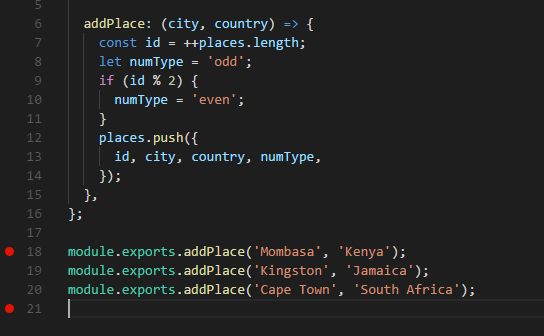



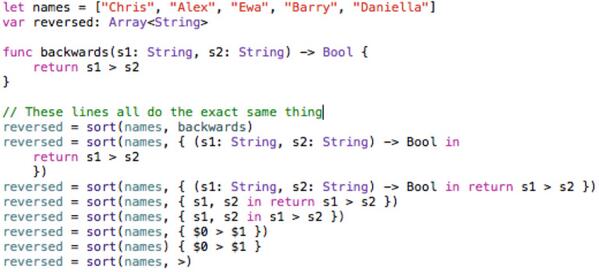
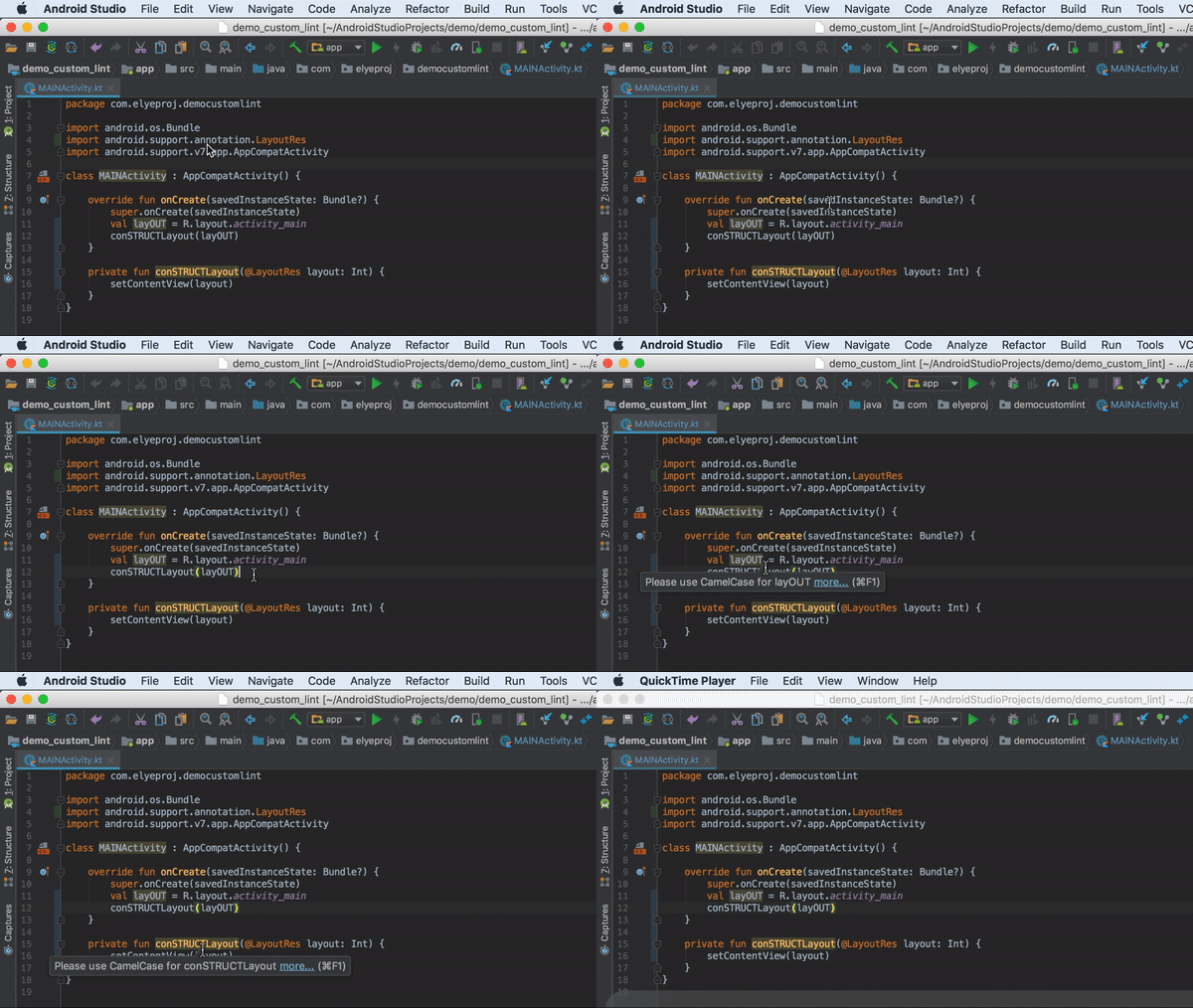

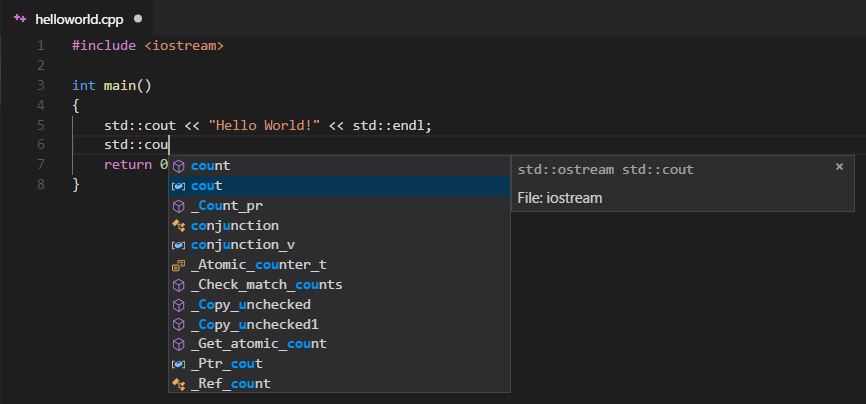

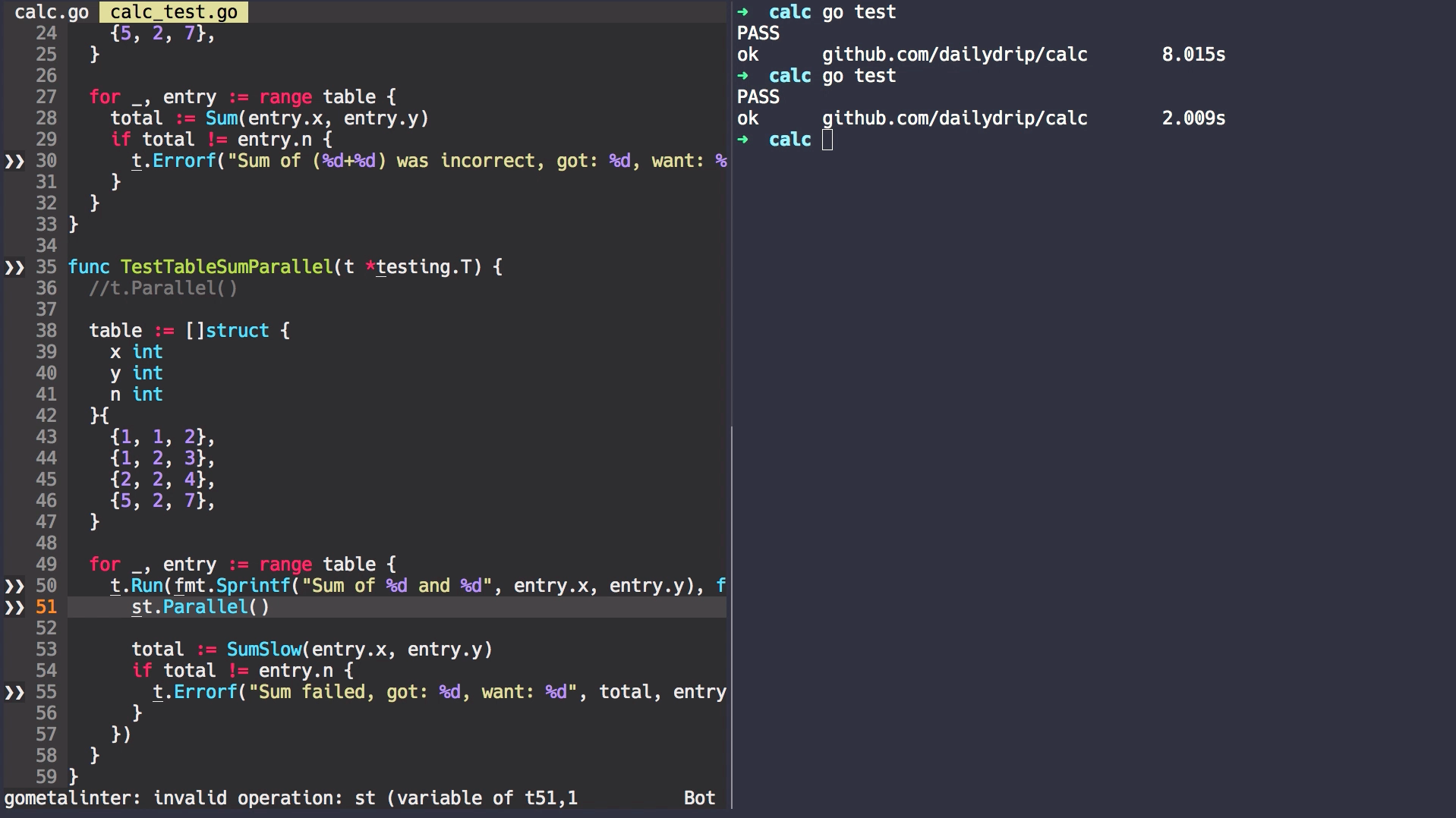

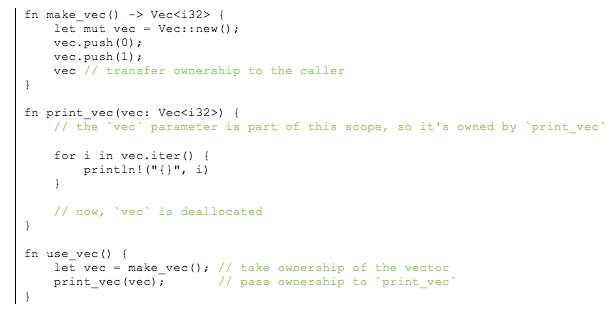






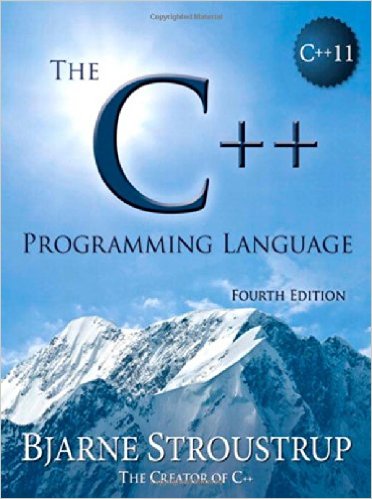


 TechnoCoder


